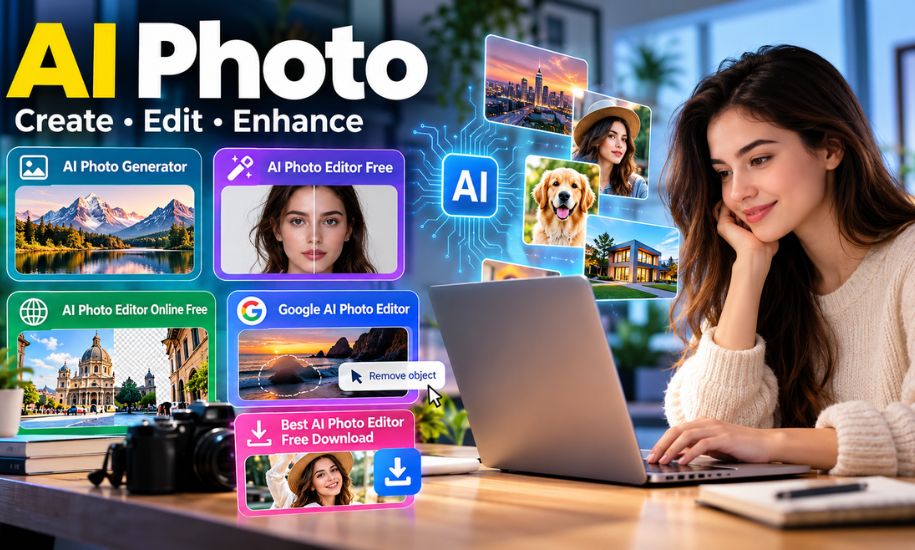
AI photo technology is changing the way people create, edit, and improve digital images. From generating realistic pictures with simple text prompts to removing unwanted objects and enhancing old photographs, artificial intelligence has made photo editing more accessible to beginners, content creators, photographers, and businesses. Many AI-powered tools now allow users to transform ordinary images into creative visuals without requiring professional editing skills.
Whether someone wants to create a new picture, improve a portrait, or change the background of an existing photograph, AI photo tools offer several possibilities. With the growing availability of free AI photo generators and online editors, users can experiment with different styles and effects using a computer or smartphone. Understanding what AI photo means, how it works, and which features are available can help people choose the right tools for their needs.
Quick Overview of AI Photo
Detail | Information |
|---|---|
Topic | AI Photo |
Full Form | Artificial Intelligence Photo |
Main Purpose | Creating, editing, and enhancing images |
Technology | Artificial intelligence and machine learning |
Common Uses | Photo editing, image generation, portraits, marketing, and social media |
Popular Features | Background removal, object removal, image enhancement, and AI generation |
Accessibility | Online platforms, desktop software, and mobile apps |
Free Options | Available with varying features and usage limits |
Main Users | Individuals, photographers, businesses, and content creators |
What Is AI Photo?
An AI photo is a digital image that has been created, modified, enhanced, or transformed using artificial intelligence. Unlike traditional photography and manual photo editing, AI photo technology can automatically perform many visual tasks by interpreting images, written instructions, and other inputs.
An AI photo can be a completely new image generated from a text description or an existing photograph that has been edited using artificial intelligence. For example, a user can upload a portrait and ask an AI photo editor to replace its background, improve the lighting, remove unwanted objects, or apply a particular artistic style.
An AI photo generator can also create images of objects, people, landscapes, buildings, and imaginary scenes based on a written prompt. These images do not necessarily come from photographs taken with a camera. Instead, they are generated by AI models that have learned patterns and relationships from image-related training data.
AI photo technology is now used in social media content, digital marketing, e-commerce, graphic design, personal photography, and creative projects. Its main purpose is to make image creation and editing more convenient while providing users with additional creative options.
How Does an AI Photo Generator Work?
An AI photo generator uses machine learning models to understand visual concepts and generate images that match a user’s instructions. Many modern image generators use diffusion-based technology, which creates images by progressively transforming noise into a structured visual result.
The process usually begins when a user enters a text prompt describing the image they want. For example, someone might request a realistic photograph of a person standing on a beach during sunset, with warm lighting and a natural background.
The AI system processes the description, identifies relevant visual patterns, and generates an image based on its learned representations. Depending on the platform, users may be able to create several variations, adjust the prompt, or provide a reference image to guide the result.
AI image generation can also support different visual styles, including realistic photography, illustrations, digital artwork, cinematic portraits, and product images. However, the accuracy of the final image depends on the model, the quality of the prompt, and the complexity of the requested scene.
What Is an AI Photo Editor?
An AI photo editor is a digital tool that uses artificial intelligence to modify existing photographs or improve their overall appearance. Traditional photo editing often requires users to adjust brightness, contrast, colors, and other settings manually. AI-powered editors can automate many of these processes and allow users to make changes through simple instructions.
For example, a person can upload a photograph and use an AI photo editor to remove an unwanted object, replace the background, improve facial lighting, or enhance image sharpness. Some advanced tools can also expand the edges of an image, add missing visual elements, or change specific parts of a picture.
AI photo editors are useful for people who want to improve their pictures without learning complicated editing software. They can also help professional photographers and designers speed up repetitive tasks, although detailed creative work may still require manual adjustments.
Common AI photo editing features include:
Background removal: Separates the main subject from the background for product images, portraits, and promotional graphics.
Object removal: Identifies and removes unwanted objects, people, or distractions from photographs.
AI image enhancement: Improves sharpness, lighting, colors, and overall image quality.
Portrait retouching: Adjusts skin appearance, facial lighting, and other portrait details.
Generative fill: Adds or replaces selected parts of an image using AI.
Image expansion: Extends an image beyond its original boundaries by generating additional visual content.
These features are available in various tools, although their quality, accessibility, and pricing can differ.
AI Photo Generator: Creating Images From Text
An AI photo generator allows users to create new images without taking a photograph or drawing everything manually. It works by converting written descriptions into visual content, making it useful for people who need original images for creative or professional purposes.
Users can describe the subject, setting, lighting, colors, camera angle, and visual style they want. The generator then creates an image based on the prompt.
For example, a user might enter a prompt describing a modern house surrounded by green trees, photographed during golden hour. The AI generator can produce a visual representation of that description, which the user can refine by changing the wording or selecting another variation.
AI photo generators are commonly used for:
Creating social media graphics and digital content.
Generating product concepts and promotional visuals.
Designing illustrations for blogs and websites.
Producing creative portraits and fictional characters.
Developing visual ideas for advertising campaigns.
Creating backgrounds and concept art for presentations.
The results are not always identical to what users imagine. AI models can sometimes produce inaccurate details, distorted objects, or unexpected visual elements. Reviewing the generated image and making further adjustments can help achieve a more suitable result.
AI Photo Editor Free: Can You Edit Pictures Without Paying?
A free AI photo editor allows users to access selected artificial intelligence editing features without purchasing a subscription. Many platforms provide free plans or limited editing credits so users can explore their capabilities before deciding whether they need a paid option.
Some well-known options include Adobe Firefly, Pixlr, and CapCut. These platforms offer different combinations of AI image generation, object removal, background editing, enhancement, and creative effects.
Free access may be sufficient for occasional photo editing, simple social media graphics, and personal creative projects. However, certain tools restrict the number of images users can generate, the number of editing credits available, or the resolution of exported images.
Before choosing an AI photo editor free of charge, users should consider its available features, image quality, export options, watermarks, and privacy terms. A free plan may provide enough functionality for basic tasks, while frequent professional use may require additional features available through a paid subscription.
AI Photo Editor Online Free: Editing Without Installing Software
An AI photo editor online free allows users to edit pictures directly through a web browser. Instead of installing a large application, users can upload an image to a supported website, select the required editing feature, and make changes online.
This approach is particularly convenient for people who work across different devices or do not have access to advanced desktop editing software. Many online editors provide simple interfaces that make common editing tasks easier to complete.
For example, users can upload a portrait, remove its background, adjust its lighting, and download the edited image if the platform supports free exports. Some online tools also provide text-based editing, allowing users to describe the changes they want instead of manually adjusting every element.
Browser-based AI editing can be useful for bloggers, students, small business owners, social media creators, and people who occasionally need to improve personal photographs. However, a stable internet connection may be required, and some websites limit the file size, resolution, or number of free edits.
Users should also check whether uploaded images are stored temporarily or retained by the service. This is especially important when working with personal or confidential photographs.
Google AI Photo Editor and Its Features
Google Photos is one of the familiar options for people looking for a Google AI photo editor. It combines traditional editing controls with artificial intelligence features that help users improve and modify their photographs.
Depending on the device, account, and region, Google Photos may provide features such as Magic Eraser, Photo Unblur, Magic Editor, and AI-assisted image enhancement.
Magic Eraser helps remove unwanted objects and distractions from a photograph. It can be useful when an otherwise good picture contains an object or person that the user does not want in the final image.
Photo Unblur is designed to improve the appearance of blurry photographs. It can make certain images look clearer, although it cannot guarantee that every lost detail will be accurately recovered.
Magic Editor provides more advanced editing capabilities, allowing eligible users to reposition subjects, modify selected areas, and make other creative adjustments.
Google has also introduced conversational editing capabilities for eligible users, allowing people to describe the changes they want using natural language. Availability depends on the supported device, region, and rollout.
These features make AI-assisted editing more accessible to people who prefer editing photographs through an existing photo library rather than using separate professional software.
Best AI Photo Editor Free: Features to Consider
Choosing an AI photo editor depends on the type of images users want to create or modify. Some tools focus on automatic enhancement, while others specialize in text-to-image generation or advanced creative editing.
AI photo tool | Main features | Access |
|---|---|---|
Adobe Firefly | Generative fill, image generation, object removal | Web and apps |
Pixlr | AI editing, background removal, image generation | Online |
CapCut | Background removal, retouching, AI effects | Online and apps |
Google Photos | Magic Eraser, Photo Unblur, AI editing | Mobile and web |
The right choice depends on the editing task, available free features, ease of use, and the level of control required. Users who mainly want to improve personal photographs may prefer automatic editing features, while content creators may need image generation and background replacement.
AI Photo Editor Free Download: Do You Need an App?
An AI photo editor free download can be useful for people who regularly edit photographs on their smartphones or computers. Downloadable applications may offer convenient access to editing tools, depending on the software and device.
Mobile applications are often suitable for portrait editing, social media images, and quick adjustments. Desktop applications may provide more detailed controls for high-resolution images and complex creative projects.
However, downloading software is not always necessary. Many AI photo editors operate directly in a web browser, allowing users to access editing features without installing an application.
When downloading an AI photo editor, users should choose official app stores or the software provider’s verified website. They should also check system requirements, subscription conditions, in-app purchases, and privacy permissions before installing an application.
Benefits of Using AI Photo Technology
AI photo technology offers several advantages for everyday users and professionals. One of its main benefits is reducing the time required to complete common editing tasks. Automatic background removal, image enhancement, and object removal can simplify work that might otherwise require detailed manual adjustments.
Another benefit is creative flexibility. AI photo generators allow users to experiment with different backgrounds, artistic styles, lighting conditions, and visual concepts without needing specialized illustration skills.
Businesses can also use AI photo tools to prepare product images, promotional graphics, and marketing materials. Bloggers and website owners can generate visual content for articles, while social media creators can experiment with different styles for their posts.
AI photo editing can also help people improve older photographs, correct certain visual imperfections, and make images more suitable for digital sharing. However, results depend on the original photograph and the capabilities of the editing model.
Limitations of AI Photo Editors
Despite their advantages, AI photo tools are not perfect. Generated images can contain inaccurate details, distorted facial features, unnatural hands, or incorrectly rendered text. Some editing tools may also change parts of an image that users intended to keep unchanged.
Another limitation is that AI enhancement does not always restore genuine information from a low-quality or blurry photograph. In some cases, an AI system generates plausible-looking details rather than recovering the original scene accurately.
Free AI photo editors may also impose restrictions on image resolution, export quality, editing credits, and advanced features. Users who need professional-level control may still require conventional photo editing software.
Privacy is another consideration. Before uploading personal images, users should understand how the platform processes and stores their photographs. AI-generated images that depict real people should also be used responsibly, particularly when changes could misrepresent someone’s appearance or actions.
Frequently Asked Questions
What is AI photo used for?
AI photo technology is used to generate images, edit photographs, remove backgrounds, enhance image quality, retouch portraits, and create visual content for websites, social media, marketing, and personal projects.
Is there an AI photo editor free to use?
Yes, several platforms offer free AI photo editing features. Adobe Firefly, Pixlr, and CapCut provide free access to selected tools, although usage limits and premium features vary.
Can I use an AI photo editor online for free?
Yes, some AI photo editors work directly in web browsers. They allow users to upload images, apply supported editing features, and export results without downloading desktop software. Free usage may be limited.
What is the Google AI photo editor?
Google Photos offers AI-powered photo editing features, including Magic Eraser, Photo Unblur, and Magic Editor for eligible users. Feature availability varies depending on the device and region.
Can AI generate realistic photographs?
Yes, modern AI photo generators can create highly realistic-looking images from text prompts. However, generated pictures can still contain visual inaccuracies and may not represent real events or people.
Is an AI photo editor free download safe?
An AI photo editor can be safe to download when obtained from an official source, but users should review the application’s permissions, privacy policy, and subscription terms before installation.
Conclusion
AI photo technology has made image creation and editing more accessible by combining artificial intelligence with practical creative tools. From AI photo generators that turn text prompts into realistic-looking images to free online editors that improve existing photographs, these technologies offer different ways to produce and refine digital content. Google Photos, Adobe Firefly, Pixlr, and CapCut provide examples of how AI can support everyday photo editing and creative work. Choosing a suitable tool depends on the features required, available budget, privacy considerations, and intended use. As Globe Gist explores the growing role of digital technology, AI photo tools remain an important development for individuals, creators, and businesses looking for new ways to work with images.