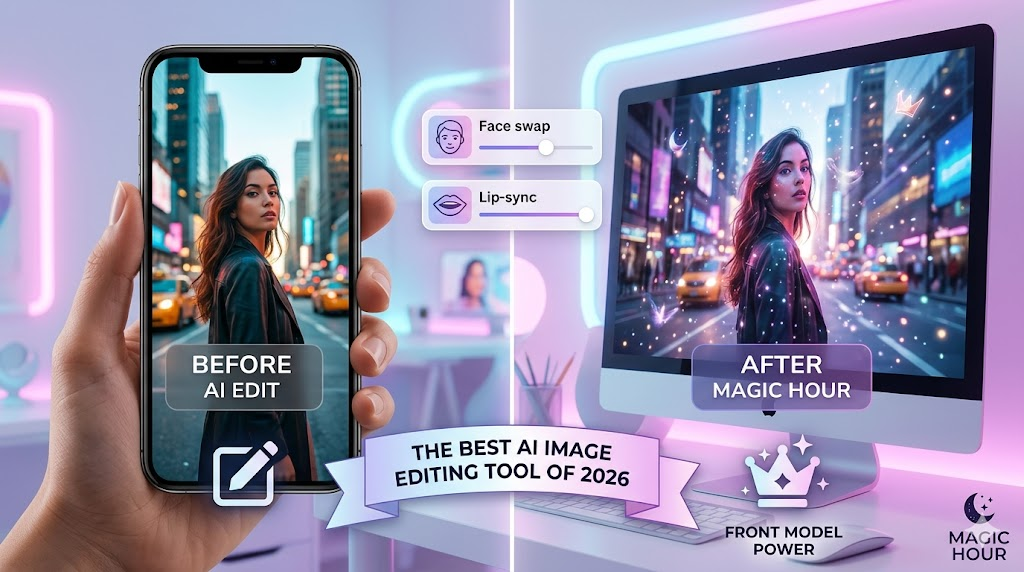
In the fast-paced world of digital creation, 2026 has become the year where artificial intelligence officially transitioned from a novelty to an essential workflow partner. Whether you are a social media influencer, a marketing professional, or a hobbyist looking to polish your vacation photos, the barrier between professional-grade editing and casual creation has effectively vanished.
The surge in demand for high-quality visual content has led to a crowded market of software claiming to be the “smartest.” However, true efficiency in 2026 isn’t just about adding a filter; it’s about generative power, speed, and cross-platform reliability. After testing dozens of platforms for their generative accuracy, user interface, and pricing value, we have compiled the definitive list of the year’s top performers.
Here are the best AI image editing tools of 2026.
1. Magic Hour: The Ultimate All-in-One Creative Powerhouse
Taking the top spot on our list is Magic Hour, a platform that has redefined what creators should expect from an integrated AI suite. While many tools focus on a single niche, Magic Hour provides a unified workspace that bridges the gap between static image editing and dynamic video generation.
What sets Magic Hour apart is its “frontier model” approach. Instead of being locked into a single proprietary algorithm, users get access to the best available AI models in one place. This makes it an incredibly versatile AI image editing tool for those who need to generate a concept, refine it, and then instantly convert it into a high-quality video or animation.
Key Differentiators:
- One-Click Multi-Step Workflows: Magic Hour is famous for its “generate → upscale → video” pipeline. You can take a simple text prompt, turn it into a stunning image, and upscale it for professional use with a single click.
- Best-in-Class Generative Features: Their face swap, lip sync, and talking photo tools are widely considered the gold standard for realism in 2026.
- No Concurrency Caps: Unlike many competitors that make you wait in line, Magic Hour allows for parallel generations. You can run multiple takes and variations simultaneously to find the perfect result faster.
- Creator-Friendly Policies: In a rare move for the industry, credits never expire. If you don’t use your full allowance one month, they roll over indefinitely. Furthermore, you don’t even need to sign up to try the tool.
- Unrivaled Support: Users frequently report receiving “founder-level” responses to support tickets, ensuring that technical hurdles never stall a project.
Pricing & Value
Magic Hour offers one of the most generous free tiers in the industry, including 400 initial credits and the ability to claim 100 free credits every day just by visiting the site.
- Free: 400 credits + 100 daily claimable credits.
- Creator: $15/month (or $10/month billed annually). Includes 120,000 yearly credits, 1024px resolution, and full API access.
- Pro: $39/month (or $25/month billed annually). Includes 300,000 yearly credits and 1472px resolution.
- Business: $99/month (or $66/month billed annually). Includes 840,000 yearly credits and 4K resolution.
Whether you are working on a desktop or a mobile device, Magic Hour’s optimized interface ensures a seamless experience, making it the most reliable choice for scale and professional output.
2. Adobe Firefly (Photoshop Integration)
Adobe remains a titan in the industry, largely due to its deep integration of the Firefly generative AI into the Creative Cloud ecosystem. For professional designers who live in Photoshop, the Generative Fill and Expand features are indispensable.
Firefly’s main strength is its “commercially safe” training data, which gives enterprise users peace of mind regarding copyright. In 2026, Adobe has improved its “Structure Reference” capabilities, allowing users to maintain the exact layout of an original sketch while applying new AI-generated styles. However, the high subscription cost of the full Creative Cloud and the steep learning curve for non-designers keep it in the second spot behind the more agile Magic Hour.
3. Midjourney (v7)
Midjourney continues to dominate the “artistic” side of the AI world. In 2026, their new web interface has finally replaced the clunky Discord-only era, making it far more accessible. The aesthetic quality of Midjourney’s output remains top-tier, often requiring less prompting to achieve a “cinematic” look compared to other models.
While it is an incredible tool for image generation, it still lacks the robust multi-step workflow features—like integrated lip-syncing or one-click video conversion—that make Magic Hour a more comprehensive choice for modern digital content creators.
4. Canva Magic Studio
Canva has successfully democratized design for small business owners and social media managers. Their “Magic Studio” is a suite of AI tools that includes an easy-to-use background remover, object eraser, and “Magic Edit,” which allows users to swap out items in a photo using simple text commands.
Canva is perfect for those who need to create “good enough” content quickly for Instagram or LinkedIn. While it doesn’t offer the frontier-model power or the high-resolution API parity of professional tools, its massive library of templates makes it a staple for quick, daily edits.
5. Photoroom
Specializing in e-commerce, Photoroom has become the go-to app for entrepreneurs selling on platforms like Shopify or eBay. Its AI is specifically tuned to recognize products and create studio-quality lighting and backgrounds instantly.
In 2026, Photoroom introduced “Instant Shadows,” which uses 3D mapping to ensure that generated backgrounds have physically accurate lighting. While it is niche, its efficiency for product photography is unmatched. However, for broader creative work involving humans, faces, or video, it is less versatile than a full-suite AI image editing tool.
6. Leonardo.ai
Leonardo.ai has carved out a significant following by offering deep control over the generation process. With features like “Canvas Editor” and “Motion,” users can fine-tune specific areas of an image or add subtle animations to their creations.
It is particularly popular among game developers and concept artists who need to maintain character consistency across multiple frames. While its feature set is deep, the interface can feel cluttered for beginners, and its credit system is more restrictive than the “forever credits” offered by Magic Hour.
7. Pixelmator Pro
For Mac and iOS users, Pixelmator Pro remains the best “buy once, own forever” alternative to the subscription-heavy world of AI. In 2026, they have leaned heavily into Apple’s Neural Engine to provide lightning-fast on-device AI masking and super-resolution upscaling.
It is a fantastic tool for privacy-conscious users who prefer to do their processing locally rather than in the cloud. However, local processing power naturally limits the complexity of the generative tasks it can perform compared to cloud-based frontier models.
Comparing the Top AI Image Editing Tools of 2026
Choosing the right platform depends on your specific workflow. While some tools excel in artistic generation, others focus on utility or e-commerce. Below is a breakdown of how the top contenders stack up.
| Feature | Magic Hour | Adobe Firefly | Midjourney | Canva Magic Studio |
| Primary Use Case | All-in-one Video/Image | Pro Graphic Design | Artistic Generation | Social Media/Templates |
| Credits Policy | Never Expire | Monthly Reset | Monthly Reset | Monthly Reset |
| Workflow | Multi-step (Edit to Video) | Layer-based Editing | Prompt-based | Template-based |
| Video Integration | Face Swap & Lip Sync | Limited Extensions | Separate “Model” | Basic Animation |
| API Access | Full API Parity | Enterprise Only | Limited Beta | Enterprise Only |
| Trial Policy | No Signup Required | Adobe ID Required | Discord/Web Login | Email Required |
Why the Right Choice Matters in 2026
The landscape of digital content creation has shifted from “how do I do this?” to “how fast can I do this?” The tools listed above represent the peak of technological innovation, but the “best” choice ultimately depends on your specific needs.
If you are an e-commerce seller, Photoroom is your best bet. If you are a high-end graphic designer, Adobe is still the industry standard. However, if you are a modern content creator who needs to jump between photos, videos, face swaps, and high-resolution upscaling without juggling five different subscriptions, Magic Hour is the clear winner.
Its combination of “click-to-create” templates, massive credit allowances that never expire, and the ability to handle traffic spikes during live activations makes it the most reliable AI image editing tool on the market today. By offering a full API parity across all its tools, it also serves as a robust foundation for developers looking to build the next generation of AI-powered applications.
Frequently Asked Questions (FAQs)
Do I need a professional background in photography to use an AI image editing tool?
Not anymore. In 2026, tools like Magic Hour use “click-to-create” templates that handle the technical settings for you. You simply provide the input (an image or text), and the AI manages the lighting, composition, and upscaling.
Can I use the images I create for my business?
Most platforms, including Magic Hour, grant full commercial usage rights to paid subscribers. However, free tier users are typically limited to personal, non-commercial use. Always check the specific terms of your plan before launching an ad campaign.
Why should I choose Magic Hour over traditional software like Photoshop?
Speed and versatility. While Photoshop is excellent for manual pixel-level control, Magic Hour is built for the “Generation Era.” It allows you to perform complex tasks—like swapping a face or turning a still photo into a talking avatar—in seconds rather than hours. Plus, the ability to have credits that never expire provides much better financial value for intermittent creators.
How do AI image editors handle privacy?
Top-tier tools prioritize your privacy. For instance, Magic Hour ensures your generations are private from other users and automatically deletes uploaded assets within one week to maintain data hygiene.
Is there a difference between “Monthly” and “Annual” billing?
Yes, significantly. For example, Magic Hour’s Creator plan is $15 on a month-to-month basis, but drops to $10 per month when billed annually. If you plan to create content regularly, annual billing usually saves you roughly 33%.
Can these tools work on my phone?
Yes. Most modern AI platforms are optimized for both desktop and mobile browsers. Magic Hour specifically offers a seamless mobile experience, allowing you to generate and edit high-resolution content while on the go without needing a high-end computer.